 ✦
✦Interior redesign
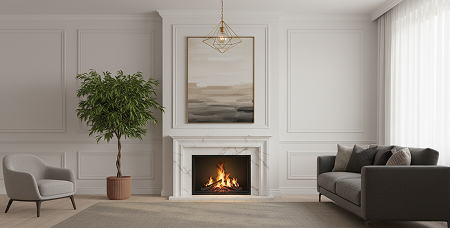
Explore a living room, bedroom, kitchen, bathroom, or dining room in a different design direction.
AI room design, from one photo
Room AI turns a photo of your space into fresh visual directions. Try a new interior style, stage an empty room, change the palette, or test a furniture swap before you commit.
For inspiration and visualization. Confirm real-world measurements and specifications.
Explore more directions, faster
✦Explore a living room, bedroom, kitchen, bathroom, or dining room in a different design direction.
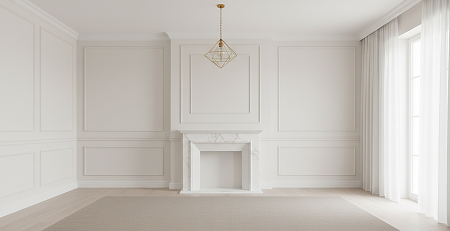 ▣
▣Give an empty space a furnished point of view that helps people picture its potential.
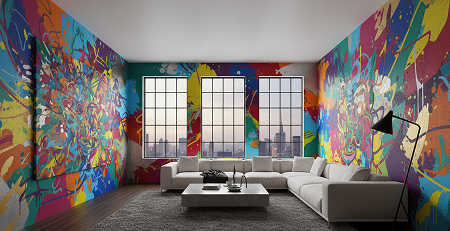 ◐
◐Try a new palette or visualize selected furniture and decor changes without starting over.
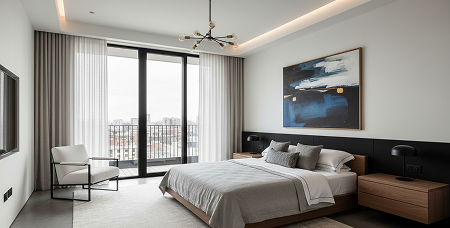 ⌁
⌁Use a reference look for design transfer, or turn a sketch into a detailed visual concept.
Choose your first project
For a furnished room, compare styles in Interior Redesign. For an empty room, use Virtual Staging to explore its purpose. To try a palette or a reference look, choose Recolor or Design Transfer. Every result is a visual concept to compare against your room’s real dimensions.
Room AI is an iOS app with in-app purchases. Check the current subscription and generation limits inside the app before starting a project.
How Room AI works
Pick redesign, staging, recoloring, replacement, design transfer, or sketch design.
Use balanced light and include the corners of the space when possible.
Select a room type, design style, or color palette where applicable.
Use the generated visual as a conversation starter for your next decorating decision.
Room design guides
Start with a focused guide, then try the workflow with a photo of your own space.
Learn how to use Room AI to compare interior styles, prepare a useful photo, evaluate AI room redesigns, and turn a visual concept into practical decisions.
Read guide →Practical guideExplore virtual staging with Room AI: choose a room purpose, prepare an empty-room photo, review furnishing concepts, and disclose edited property images.
Read guide →Practical guideUse Room AI to explore bedroom design ideas, compare minimalist, Scandinavian, and traditional directions, and check layouts before decorating.
Read guide →Practical guideA practical room-photo checklist for Room AI: lighting, framing, camera angle, clutter, reference photos, and troubleshooting distorted results.
Read guide →Questions, answered
Room AI supports interior and exterior redesign, virtual staging, design transfer, sketch-to-render concepts, recoloring, and furniture or decor replacement.
Start with a bright, uncluttered photo that shows the room’s corners and major surfaces. A wide camera view can help capture more of the space.
No. The app is for visual exploration. Use qualified professionals for final plans, measurements, permits, safety, and material decisions.
No. Room AI creates visual concepts from photos; it does not provide verified room measurements or guarantee that furniture will fit. Measure the space and check product dimensions before making changes.
Your next room starts here